Welcome to Planmaster
Welcome to the comprehensive, step-by-step user guide for Planmaster ERP (https://app.planmaster.in).
Planmaster is designed specifically for construction and contracting firms. Whether you are supervising concrete casting on a job site, preparing client billing claims in the accounts office, or issuing rebar and cement from the warehouse, Planmaster keeps your entire organization synchronized.
What Would You Like to Do?
Select your role below to jump straight to the practical guides you need:
- Projects at a Glance: Explore the 10 project tabs, budgets, and status tracking.
- Milestones & Tasks: Break down construction contracts into major milestones and actionable daily tasks.
- Daily Progress Reports (DPR): Log site weather, ground conditions, work achievements, and use AI Summarize.
- Task Details & Timesheets: Check off subtasks, record daily work hours, and flag site blockers.
- Tracking Quantities (BOQ): Record executed quantities, link take-off materials, and import via Excel.
- Safety & Quality Checklists: Attach and fill out toolbox talks, excavation, concrete, and other sign-off inspections.
- Request Materials: Order steel, cement, and tools from the warehouse directly to your site.
- Project Finance & Budget Variance: Monitor project budget vs. actual expenses and site profitability.
- Client Directory: Manage customer accounts, phone numbers, and billing addresses.
- Create an Invoice: Generate and send milestone billing claims to clients.
- Record a Payment: Log bank wire, NEFT, and cheque payments with UTR reference numbers.
- Log Daily Expenses (Ledger): Record site bills, permit fees, and supplier payments in the company ledger.
- Material Catalog & Stock: Track Consumables (cement, sand, rebar) and Returnables (tools, plant).
- Approving Material Transfers: Review site requisitions in the approvals queue and authorize dispatches.
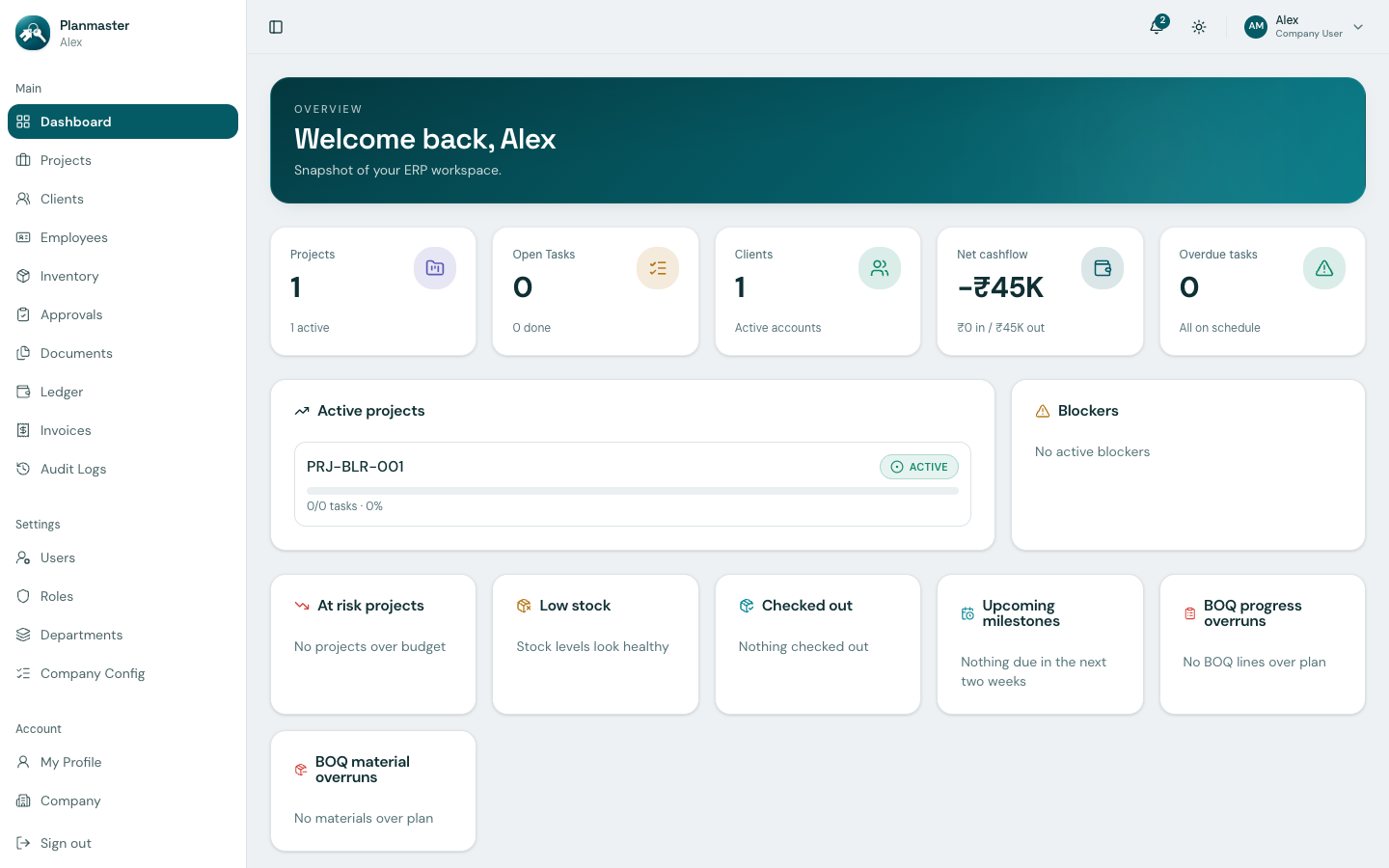
- Executive Dashboard: Monitor net cashflow, active projects, and site blockers in real time.
- Employee Directory: Staff phone directory, emergency contacts, and job designations.
- Departments & Designations: Set up standard divisions and job titles.
- User Management: Onboard new team members and manage company user seats.
- Security & RBAC: Configure granular permissions across 17 resource modules.
- Company Config & Custom Lists: Customize Auto-ID formats and municipal filing picklists.
- Company Audit Trail: Complete chronological compliance and activity logging.
How Planmaster Works (In Simple Terms)
Everything in Planmaster connects together naturally so your team never enters data twice:
flowchart LR
    P["1. Contract Awarded<br/>Set up project budget<br/>& municipal filings"] --> M["2. Site Execution<br/>Engineers log DPRs,<br/>tasks & executed BOQ"]
    M --> F["3. Commercial Billing<br/>Accounts issues invoice<br/>for completed milestone"]
    F --> R["4. Cashflow Settlement<br/>Record bank payment &<br/>cashflow updates live!"]
Need Help Getting Started?
- Screen Tour & Navigation: Learn what every button, alert card, and menu on your screen does.
- Who Can Do What: Understand login roles, access levels, and security permissions.