Employee Directory
The Employees section is your company's digital staff directory. Whenever you need to look up an engineer's phone number, find out who reports to which manager, or verify an employee ID, you can find it here.
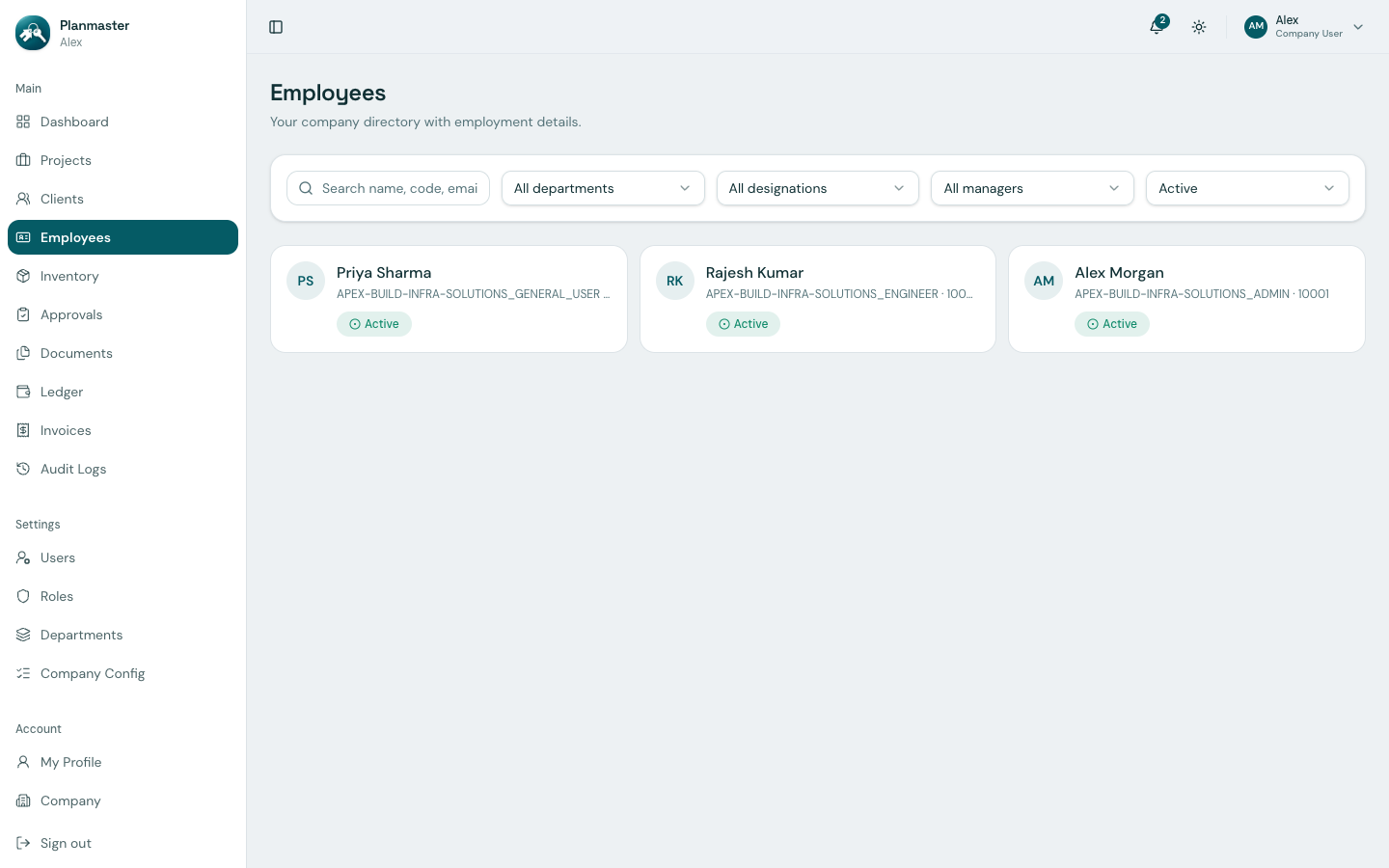
Finding a Colleague Quickly
- Search Bar: Type any part of a colleague's name, email, or employee code (e.g.,
Rajeshor10002) to find them immediately. - Department Dropdown: Filter to see everyone in Engineering or Accounts.
- Designation Dropdown: Filter by job role (for example, see all Site Supervisors).
Viewing an Employee's Profile
Click on any employee card in the directory to view their complete profile:
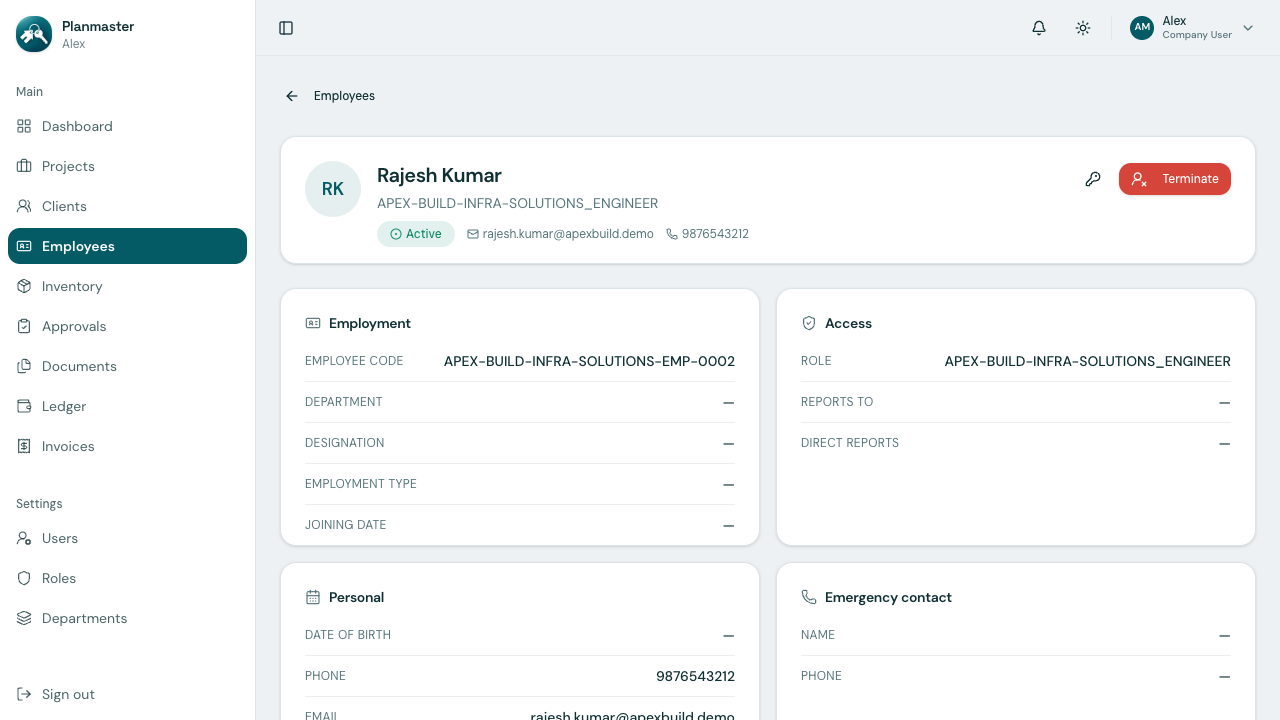
Information on the Profile Card:
- Employment Details: Their unique Employee Code (e.g.,
10003— the exact prefix, suffix, and digit padding are configurable under Company Configuration), assigned department, and official job title. - Contact Information: Direct phone number and work email address.
- Reporting Structure: Shows who they report to and any subordinates working under them.
- Emergency Contact: Essential for job-site safety—lists the contact person and phone number to call in case of an on-site medical emergency.
- Password Reset: If an employee forgets their password, a Company Administrator can click Reset password right on this page to send them a new temporary login.