Project Finance & Budget Tracking
Every construction company needs to know whether a job site is profitable or burning through cash. In Planmaster, the Finance tab inside each project acts as a dedicated financial command center, consolidating income, expenses, and client claims for that specific contract.
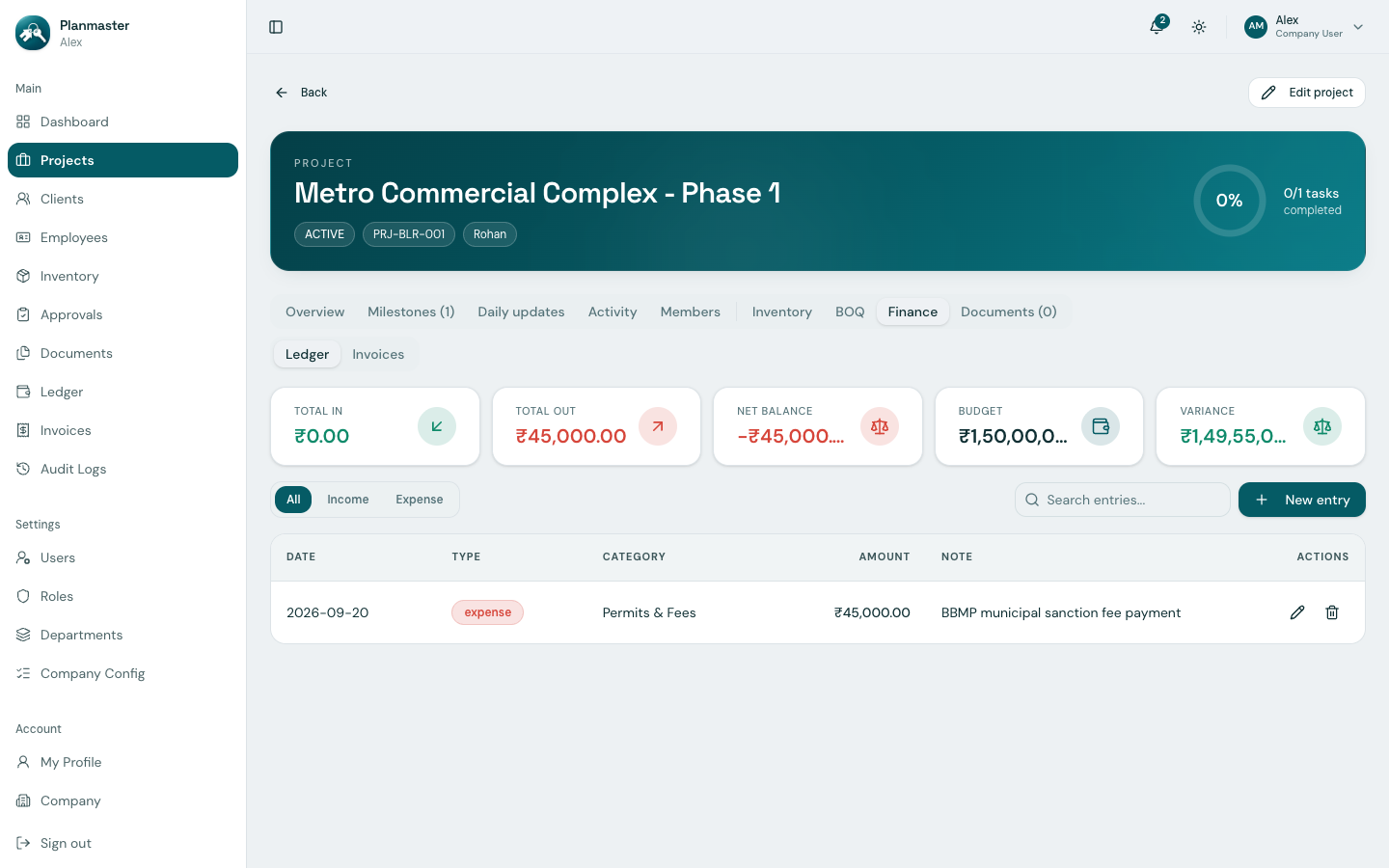
The Finance Tab: Ledger and Invoices
Opening the Finance tab inside any project shows two sub-tabs — Ledger and Invoices — each with its own live summary cards.
1. Ledger Sub-Tab
Shows an itemized list of every income and expense entry booked specifically against this project, with five live indicators at the top:
- Total in: All income entries logged against this project.
- Total out: All expense entries logged against this project (materials, labour, equipment, permits, etc.).
- Net balance: Total in minus Total out.
- Budget: The project's contract budget.
-
Variance: Budget minus Total out.
-
Filter entries by All / Income / Expense, or use the search box.
- Each row shows Date, Type, Category, Amount, and Note, with Edit / Delete actions.
- To record a new entry directly against this project, click New entry (same form as the company Ledger).
2. Invoices Sub-Tab
Shows all billing claims submitted to the client for this project, with two summary cards:
- Outstanding: Total unpaid balance still owed by the client across all invoices.
-
Paid: Total amount actually collected so far.
-
Filter by status: All / Unpaid / Partially paid / Paid / Cancelled.
- The table lists Invoice #, Client, Amount, Balance, Due date, and Status, with Record payment / Cancel invoice actions per row.
- Click New invoice to bill the client directly from this project (same form as Create an Invoice).
Why Site-Specific Financials Matter
In traditional construction setups, project managers only learn about site losses months after completion when the annual audit is done. Planmaster gives site managers real-time cost transparency:
- Spot Cost Creep Early: If substructure excavation costs 25% more than budgeted, managers can adjust subsequent superstructure procurement strategies before it impacts company margin.
- Faster Client Collections: Knowing exactly how much work is completed vs. how much has been billed allows your billing team to raise milestone claims promptly.