Material Transfer Approvals
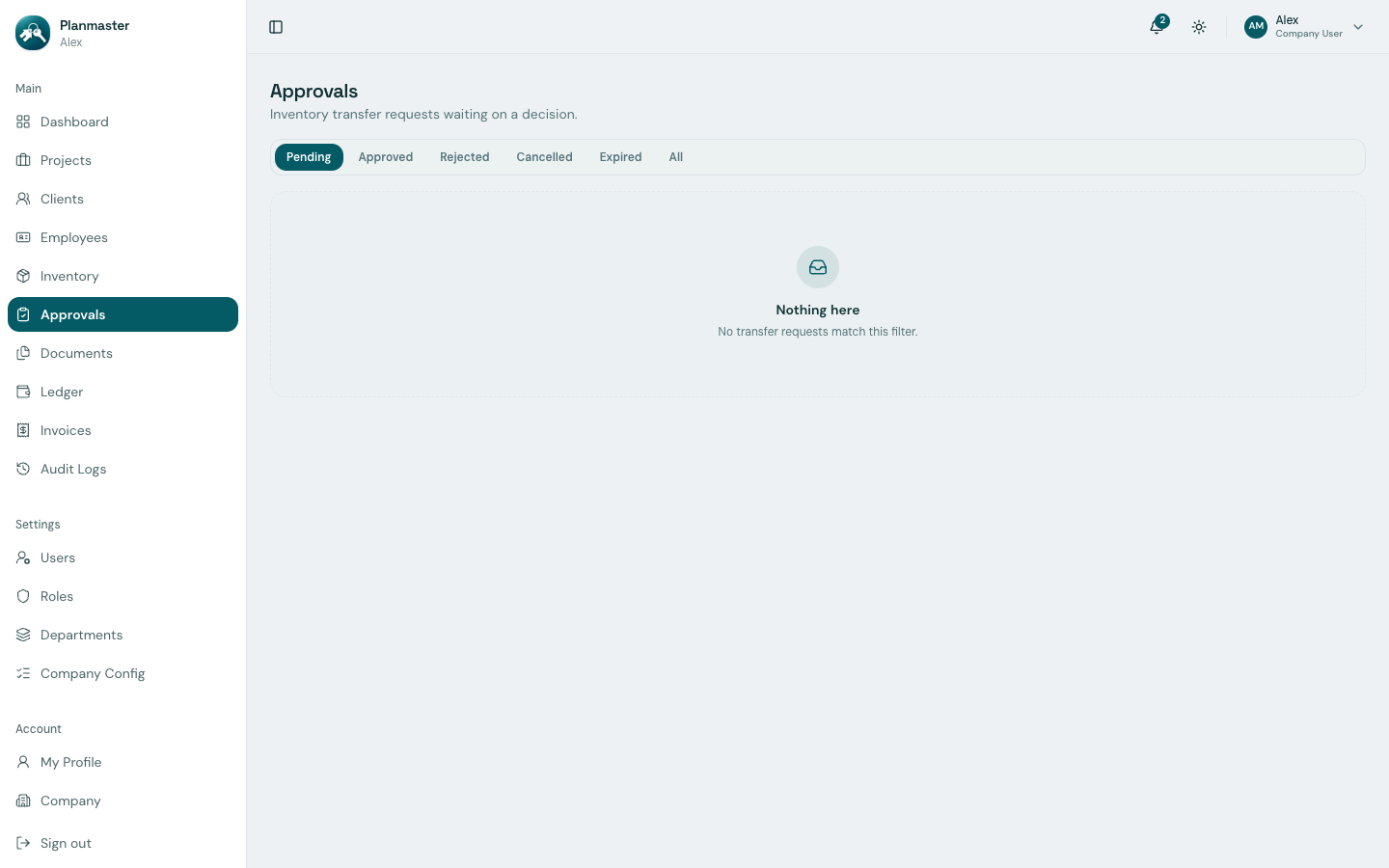
In construction companies, raw materials (cement, rebar, structural timber) represent a major portion of project expenditure. To prevent material shrinkage, theft, or unauthorized site transfers, Planmaster includes a dedicated Approvals module (/approvals).
How the Transfer Approval Workflow Works
When a site engineer needs materials from the central warehouse, the request flows through a 3-step chain of custody:
flowchart LR
    A["1. Site Request<br/>Engineer requests 15 MT steel<br/>for Metro project"] --> B["2. Approvals Queue<br/>Storekeeper reviews<br/>warehouse availability"]
B --> C["3. One-Click Approval<br/>Stock leaves warehouse<br/>& enters site inventory!"]- Step 1: Request Submitted: The site engineer initiates a stock request from Inventory > Request Transfer, specifying item, quantity, and destination site.
- Step 2: Storekeeper Inspection: The warehouse manager opens Approvals from the main sidebar. All pending transfers appear in the queue.
- Step 3: Verification & Decision:
- The storekeeper checks physical stock in the warehouse.
- If available, clicks Approve and adds optional dispatch notes (such as truck registration number or gate pass ID).
- If stock is insufficient or the request is unauthorized, clicks Reject with a mandatory reason.
What Happens Automatically Upon Approval?
When a transfer is approved, Planmaster handles the inventory ledger automatically:
- Central Warehouse Stock Reduced: Available quantity in the main store drops by the approved amount (e.g., 50 MT decreases to 35 MT).
- Project Inventory Credited: The destination project's inventory tab immediately shows the received materials available for site consumption.
- Audit Log Recorded: The system logs the requester name, approving storekeeper name, timestamp, and transfer remarks for full traceability.
Filtering the Approvals Screen
At the top of the Approvals page, use the filter buttons to review historical material movements:
- Pending: Requests currently waiting for management or storekeeper sign-off.
- Approved: Transferred materials that have been dispatched to job sites.
- Rejected: Requests declined due to stock shortages or duplicate entries.
- Cancelled: Requests withdrawn by the requester before a decision was made.
- Expired: Requests that were not actioned in time and automatically lapsed.
- All: Complete company audit history of material requests.