Access Levels & Permissions (RBAC)
Planmaster gives Company Administrators total control over what each staff member can view and modify. Role-Based Access Control (RBAC) secures confidential financial accounts, client contracts, and employee payroll data while giving site engineers the exact operational tools they need.
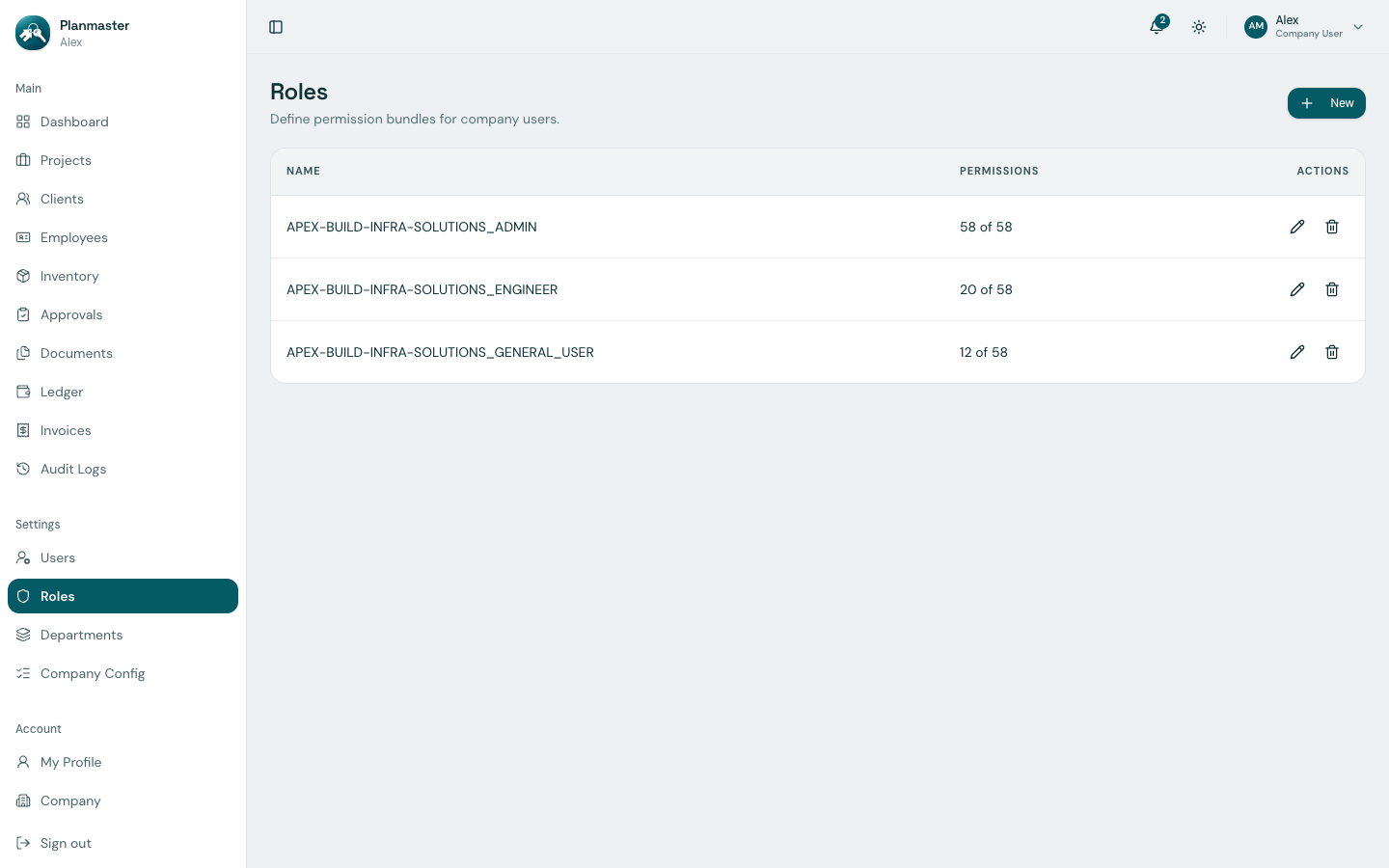
Access this section from the sidebar under Settings > Roles.
The 17 Permission Categories (Full Security Matrix)
Planmaster secures the platform across 17 distinct resource modules containing 65 granular permission toggles:
| Resource Module | Permissions Available | What it Protects in Everyday Terms |
|---|---|---|
🏗️ Projects (projects) |
create, read, update, delete, manage_members |
Starting projects, setting budgets, and assigning site teams. |
📋 Tasks (tasks) |
create, read, update, delete |
Daily site assignments, status updates, and blocker reporting. |
📐 BOQ (boq) |
create, read, update, delete |
Contractual quantities, unit rates, and executed volume entries. |
✅ Checklists (checklists) |
template_manage, template_read, create, read, update, delete, fill |
Building/editing safety & QA checklist templates, attaching them to projects, and filling out or deleting the results. |
📦 Inventory (inventory) |
create, read, update, delete, transfer_request, transfer_approve |
Catalog management, stock transfer requisitions, and warehouse sign-offs. |
🧾 Invoices (invoices) |
create, read, update, delete, record_payment |
Client billing, payment recording, and UTR tracking. |
💰 Finance (finance) |
create, read, update, delete |
Site expense logging, cashbook entries, and voucher editing (the company Ledger). |
👥 Clients (clients) |
create, read, update, delete |
Customer accounts, contact numbers, and billing addresses. |
👷 Employees (employees) |
create, read, update, delete |
Staff directory, emergency contacts, and compensation details. |
🏛️ Departments (departments) |
create, read, update, delete |
Setting up and editing organizational divisions. |
🎖️ Designations (designations) |
create, read, update, delete |
Setting up and editing professional job titles. |
🔢 ID Sequences (id_sequences) |
read, update |
Configuring auto-numbering prefixes and zero-padding for employee codes. |
📑 Custom Lists (picklists) |
read, update |
Managing dropdown options for local_body_type and project_type. |
🔐 Roles (rbac) |
create, read, update, delete |
Authoring and customizing security roles. |
👤 Users (users) |
create, read, update, delete |
Inviting new team members, resetting passwords, and deactivating seats. |
🔍 Audit Logs (audit) |
read |
Viewing the chronological compliance audit trail of user actions. |
📊 Reports (reports) |
read |
Accessing executive management summaries and cross-project analytics. |
Documents & Company have no dedicated permission module
Unlike the modules above, project Documents and the Company profile page are not controlled by their own toggle in the Roles permission matrix.
Creating a Custom Role (e.g., Storekeeper or Billing Clerk)
While standard roles (Admin, Engineer, General User) meet the needs of most construction companies, you can create tailored roles in minutes:
Example: Setting Up a Storekeeper Role
A warehouse manager needs to view materials and approve transfers, but should not see client invoices or company bank balances:
- Go to Settings > Roles in the left sidebar.
- Click New Role.
- Name the role:
STOREKEEPER. - In the permissions selector:
- Under
inventory: Checkinventory.read,inventory.update, andinventory.transfer_approve. - Under
documents: Checkdocuments.read. - Under
projects: Checkprojects.read. - Leave
invoices,ledger, andusersunchecked. - Click Create Role.
Verifying Your Effective Permissions
Wondering what actions your current login is permitted to perform? - Click your initials in the top right header, and select My Profile (or go to Account > My Profile). - Scroll to the My permissions section. Planmaster displays a complete, categorized breakdown of every action granted by your assigned role.